Building Version 3: How This Site Finally Got Made
It has been a while since I wanted to update the website. For one reason or another, I never found the right moment to actually do it.
A few years back, while looking for information about the Maya API, I stumbled across Zhi Shangdi’s blog. I did not just find answers to my questions. I found someone documenting the actual challenges of production work: the problems he ran into, the dead ends, what eventually worked. And I thought: what a cool idea. A professional logbook. That stuck with me. I wanted to start something similar at some point.
It seems like that point is now.
Why not LinkedIn or Twitter
I do have a network there, and the reach would probably be better. But I do not want to commit to a posting schedule or turn every idea into a conversation thread. I just want to write about things happening in my professional life and share what I think about them. And honestly, I want to use this as a way to improve my writing, especially on the more technical side. A personal space with no pressure is better for that than a social feed.
The technical obstacle
The real blocker was always the website itself. I wanted something with proper sections, decent animations, and solid data handling. Maintaining that has historically been painful.
Version 1: the university site
I started this site while still at university. The goal was simple: put up a showreel and some basic info about myself. For that moment in time, it worked. I went with Nominalia hosting and a WordPress setup, which is easy to get going but quickly became frustrating when I wanted to add anything custom. I had no web development experience, so even simple changes took forever. At some point the effort stopped being worth it.
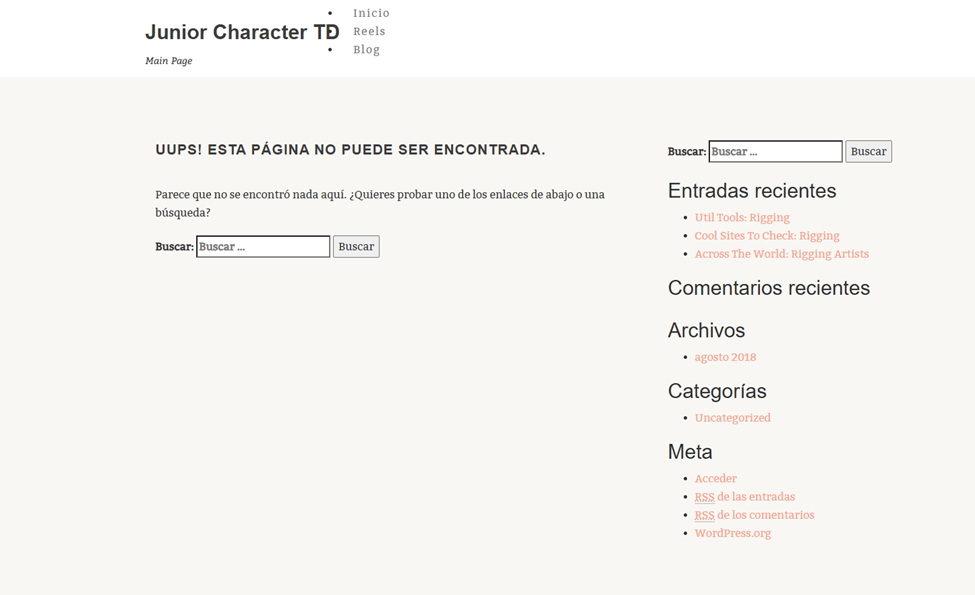
Thanks to Wayback Machine I still have a snapshot of it.
That is where version 1 ended. A lot of time invested, not much to show for it.
Version 2: AI-assisted WordPress
A couple of years later, AI tools started becoming a real thing. I came across a post about a built-in AI assistant inside WordPress and decided to give it a try. I had to upgrade to the Managed WordPress plan, which cost more, but it felt like a small bet worth taking.
After several days of back and forth I had something that roughly matched what I had in mind. But getting there was slow. There were endless iterations just to get the structure right, and the final result relied heavily on third-party plugins. So I walked away from that one too.
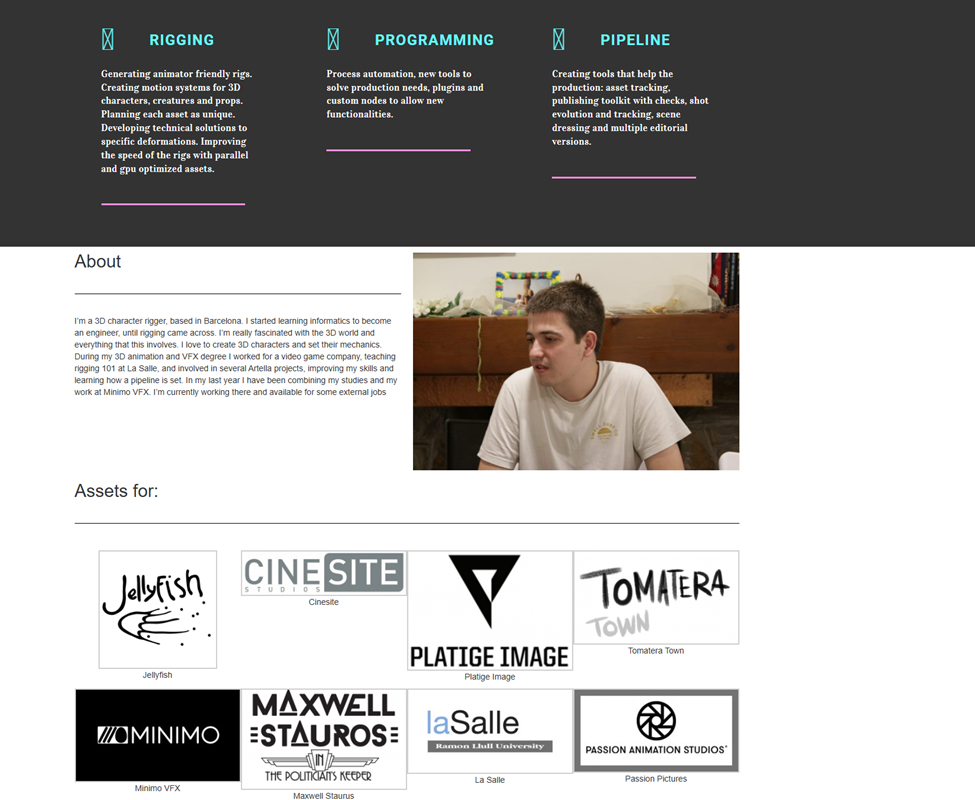
Version 3: Claude Code
A couple of months ago I started using Claude and Claude Code for some work tasks, and this is where things changed. It was not just a chatbot giving step-by-step instructions. It was actually implementing things. I could hand it a task and it would build it. With surprisingly little time I could get exactly what I wanted, and I could actually own the system rather than depending on someone else’s platform.
So I cancelled the WordPress subscription, got a VPS, and upgraded the domain.
What is under the hood
After some research, the stack I landed on uses a two-stage approach: everything is developed locally, then compiled into a production build and deployed to the server.
Astro is the core framework. Pages are .astro files that render HTML at build time, making them fast by default. Blog posts like this one are just Markdown files that Astro picks up automatically.
Tailwind CSS handles the styling with utility classes written directly in the HTML, no separate CSS files needed.
React and Framer Motion power the interactive widgets and animations you see on the home page.
Pagefind generates a static search index from the built HTML, so the blog is searchable without needing a backend service. Only one post right now, but it will be useful later.
SQLite handles the databases locally on the server. Analytics and subscriber data stay on the machine, no external service involved.
Nodemailer sends email notifications through Nominalia’s SMTP when a new post goes live, and handles the double opt-in confirmation for newsletter subscribers.
PM2 manages the Node.js server process: automatic restarts if something crashes, scheduled maintenance tasks, and health checks.
Nginx sits in front of everything, handling HTTPS and redirects.
For SEO, Astro generates a sitemap automatically so search engines can index the pages, and an RSS feed in case anyone prefers to subscribe that way.
The thing I am most happy about: all data lives locally. No third-party analytics, no external databases, no surprise bills from services I forgot I was using.
Keeping it simple to operate
One thing I knew would become a problem: remembering all the server commands. When you run a custom setup you have to manage a lot of them.
So I wrote simple shell scripts for deployment, health checks, and config changes. A full deploy is now three or four commands. Writing a new post is just creating a .md file and running the deploy. That is it.
The site is developed locally, synced through a private GitHub repository, and deployed to the server from there. All environment variables and security keys stay on the server side and are never visible in the repository or to Claude.
Let us see how this logbook goes.