Pipeline-Ready: How to Prepare for Iterative Production
Production is not linear, and it never has been.
Whether you are in VFX, animation, or games, you are almost never working alone. You belong to a department, and that department sits at a specific point in a larger pipeline. There are teams upstream providing your inputs and teams downstream depending on your outputs.
That interdependency is what makes organization and automation not just useful, but essential.
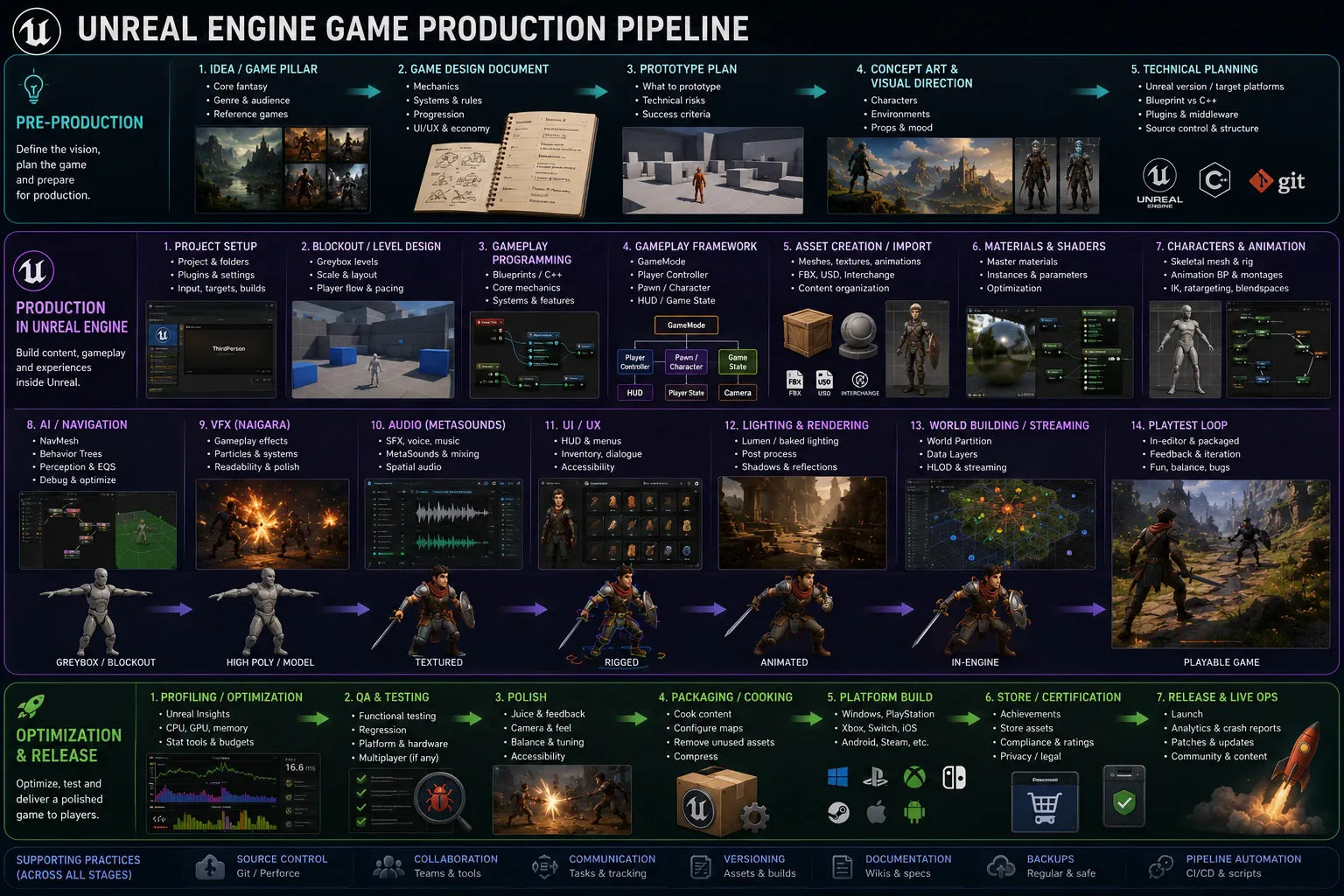
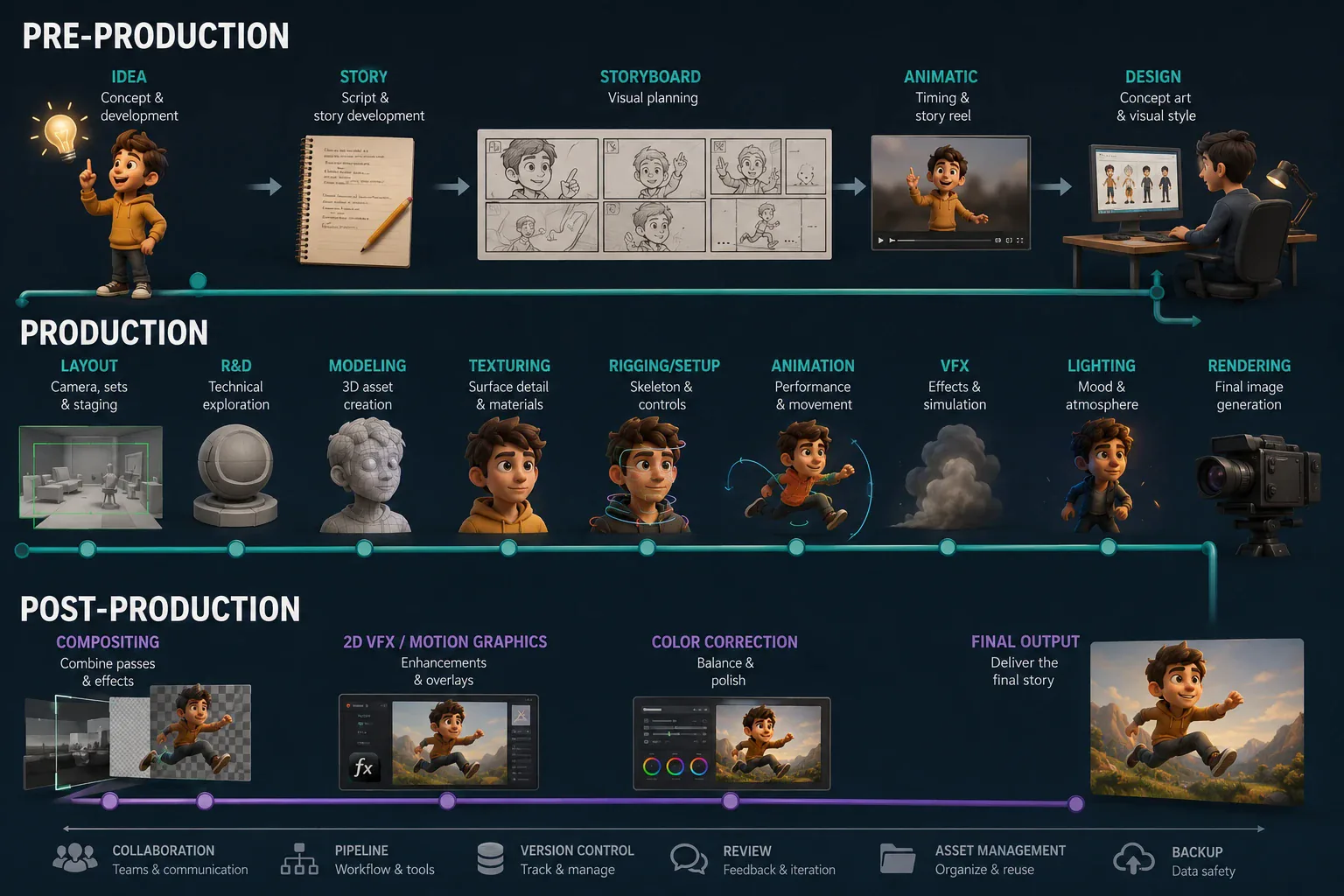
Both of these pipelines look sequential on paper. In practice, every stage is ready to receive a revision that sends it back a step or two. A model update, a design change, an animation note: they all land in the middle of your work and require you to incorporate them without losing everything you have already built. How quickly and cleanly you can absorb that change determines how productive you are over the life of a project.
Input and Output
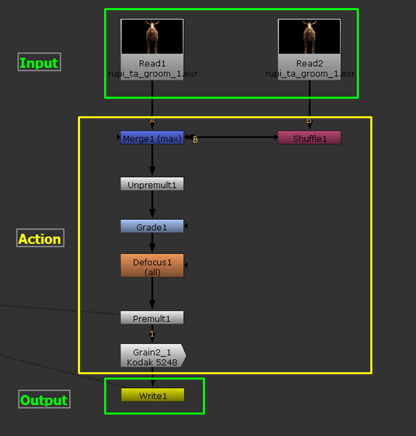
The most important habit you can build is thinking of your work in three explicit parts: what you receive, what you do with it, and what you hand off. Input, action, output.
This structure is most visible in compositing. A Nuke script almost enforces it: you start with Read nodes, process through a node graph, and deliver through Write nodes. There is no ambiguity about where data enters or leaves.
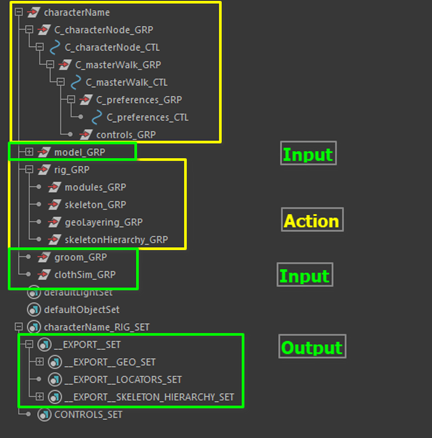
The same logic applies in any DCC. In Maya, the outliner is your map. A well-organized rig separates what came in (the model, the skeleton, the groom and cloth inputs) from what you built (the rig modules, the deformation stack), and makes clear what gets exported (the export sets). If someone opening your file has to spend time figuring out what belongs where, the handoff has already failed.
Keeping things organized is not about aesthetics. It is about reducing the cost of the next change.
Naming Conventions
Naming is where organization becomes concrete. A consistent naming scheme means anyone can open a file and understand its contents immediately, including yourself six months later.
For nodes and objects, a pattern like SIDE_description_SUFFIX works well in most DCCs. The specifics matter less than the consistency. Pick one convention and apply it everywhere.
For files, the problem is even more common. Everyone has seen something named finalFinalV03ThisIsTheFinal.ma. That name is a symptom of versioning by intuition rather than by structure. A better approach is to prefix file names with a pipeline stage counter so they sort naturally and immediately tell you where in the process each file belongs:
01_guides_01_roughSetup_00.ma01_guides_02_refined_00.ma02_skinning_01_blocking_00.ma02_skinning_02_refined_00.maThe first number is the pipeline stage, the second is the iteration within that stage, and the trailing number leaves room for variations. When an input changes and you need to return to a specific state, you can find it without guessing.
Automation
Organization handles the structure. Automation handles the repetition.
Model updates in rigging are a fact of life. The first version of an asset that arrives on your desk is rarely the last. Topology changes, pivot corrections, weight transfers, shape updates, new systems to add: if you handle all of that by hand each time, you are spending production time on tasks that a script could execute in seconds.
The solution is the build pattern. Instead of applying changes manually, you wrap your setup steps into a function that reconstructs your work from scratch any time the input changes. Import the model, place the guides, build the joints, apply skinning, transfer shapes, run the deformers. Call the function, wait a moment, and you are up to date. You stop repeating the process and start spending time improving the result.
Getting started with scripting is more approachable than it looks. Most DCCs print executed commands to an output window when you interact with the UI. That log is your starting point: watch what runs when you click something, replicate those steps in a script, and wrap them in a function. When the UI gives you no hints, the documentation is your next stop.
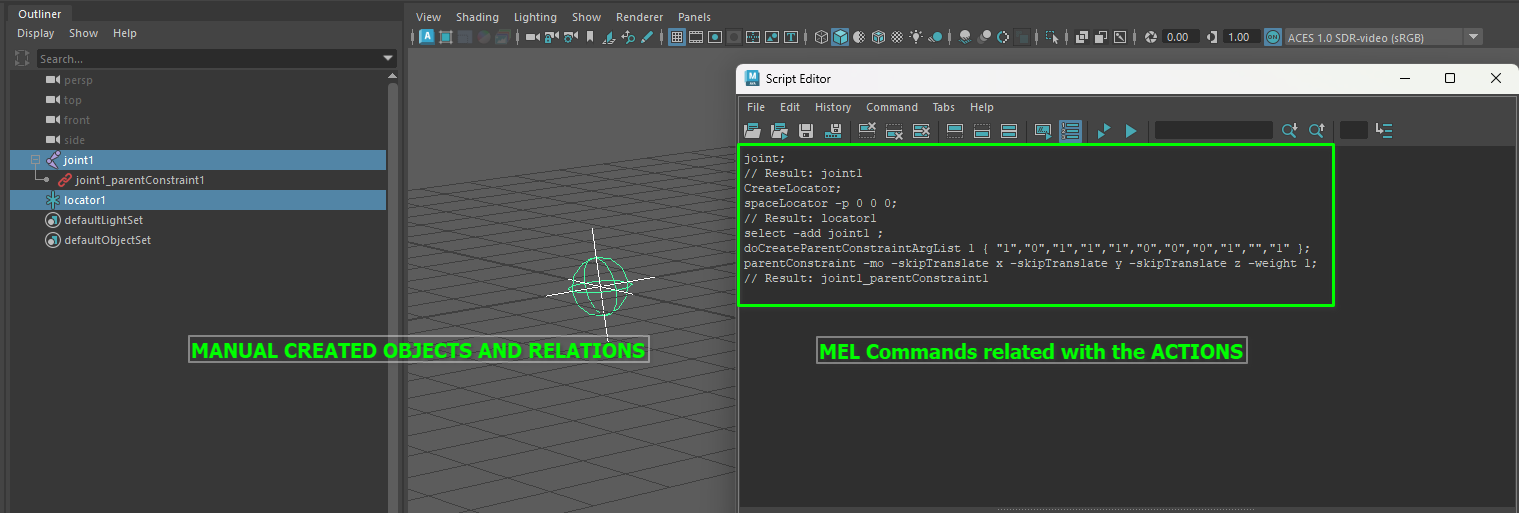
Python is the right language to learn first. It runs in every major DCC and the skill transfers directly. Once you can script in Maya, picking up the Unreal or Houdini Python API is mostly a matter of learning which functions are called what.
The resources below are ones you can start with. They allow for an easy entry.